
The hard part is rarely the language, it is the process around it. Here is what changes the moment the work lives in one place.
Route every segment to the best engine, learn from your corrections and keep terminology and data firmly under your control.




Each segment goes to the engine that performs best for that language and domain, with automatic fallback.
Your TM and glossary are injected as context, so output already sounds like you.
Approved terms are enforced on every segment and never silently overwritten.
Your content is never used to train third-party models; engine logs stay auditable and yours.
The hard part is rarely the language, it is the process around it. Here is what changes the moment the work lives in one place.
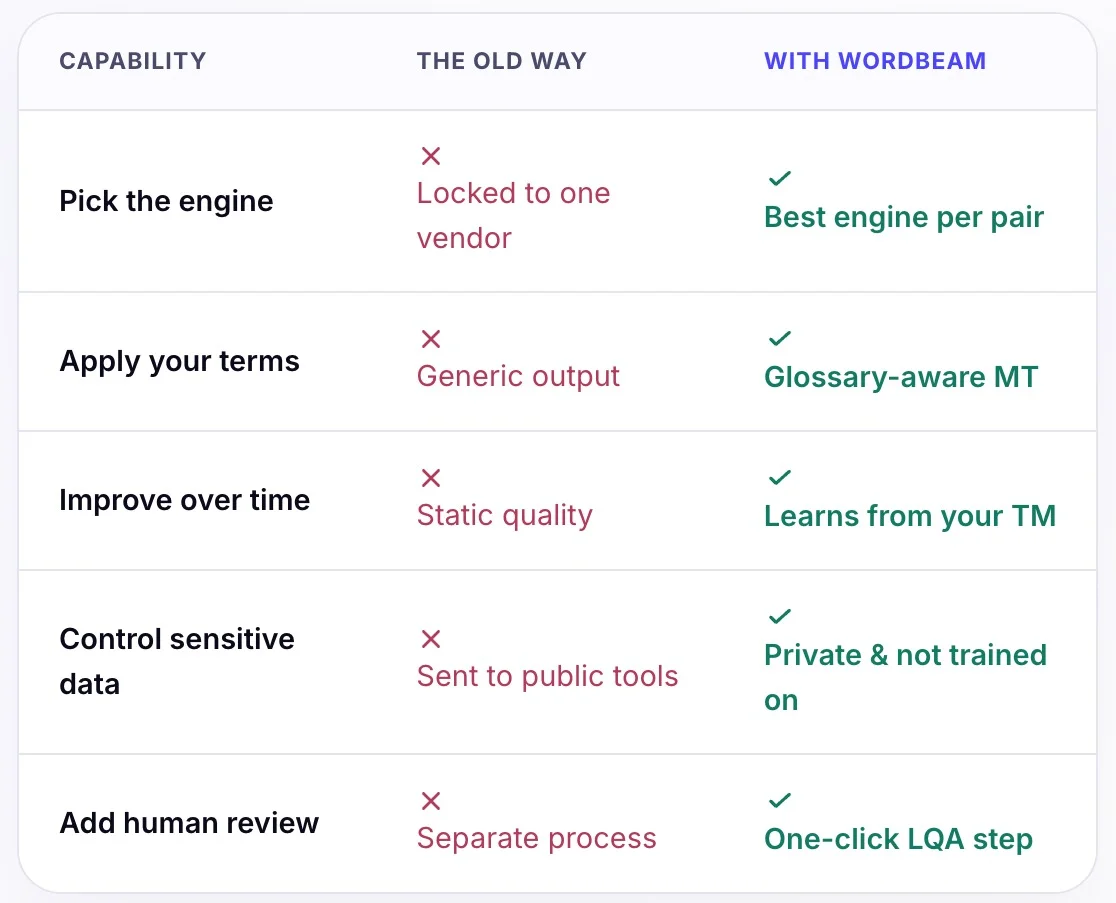
WordBeam routes each language pair to the strongest model.
Glossary and translation memory steer every segment.
Thousands of segments in seconds, on your terms.
Promote MT output to an LQA step when it matters.
No. Your text is not used to train third-party models. Translation runs under enterprise data controls with configurable retention.
WordBeam can route each language pair to the best-performing engine, rather than locking you to a single vendor for everything.
Yes. Glossaries and translation memory are applied at translation time, so machine output respects your approved terms and past wording.
Combine MT with automated QA and an optional human LQA step, so risky content gets reviewed while routine content flows straight through.