
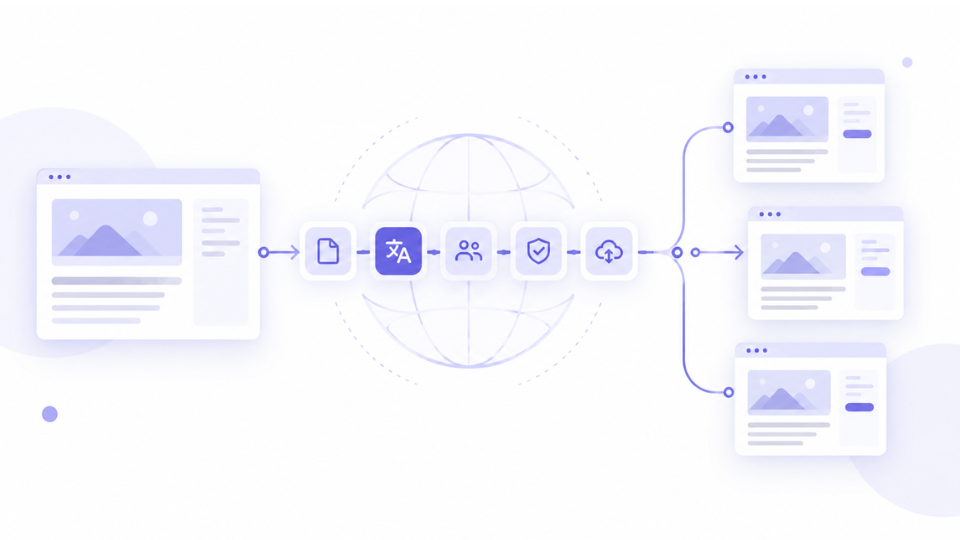
Most companies do not have a translation problem. They have a workflow problem. The content exists in a CMS, the translators exist, and the budget exists, yet every multilingual update still involves exporting pages, emailing spreadsheets, copying text back field by field and hoping nothing broke along the way. A well designed CMS translation workflow replaces that chaos with a repeatable process that moves content to translators and back without manual handling.
The stakes are commercial. A CSA Research survey of 8,709 consumers in 29 countries found that 76% of online shoppers prefer to buy products with information in their native language, and 40% will never buy from websites in other languages. If localized pages lag weeks behind the original, you are losing those customers in the meantime.
What Is a CMS Translation Workflow?
A CMS translation workflow is the sequence of steps that takes new or updated content from your content management system, gets it translated and reviewed, and publishes it in every target language. In a mature setup, the CMS and the translation platform are connected directly, so content is detected, sent, translated and returned automatically, with humans involved only where judgment is needed.
The CMS is excellent at storing and publishing content. It is not designed to manage translation memory, terminology, translator assignments or linguistic QA. That is why most organizations pair their CMS with a dedicated translation management system and connect the two.
Manual vs Connected Workflow
| Step | Manual workflow | Connected workflow |
|---|---|---|
| Detect changes | Someone notices an updated page | New or changed content is flagged automatically |
| Send to translation | Copy and paste into spreadsheets or Word files | Content syncs to the TMS through a connector or API |
| Assign work | Emails to translators | Rules assign tasks by language and content type |
| Translate | Without memory or glossary context | In a CAT editor with memory, terminology and MT |
| Review | Comments in email threads | Structured revision and automated QA |
| Publish | Manual paste back into the CMS | Translations return to the right fields automatically |
The Six Stages of an Effective CMS Translation Workflow
1. Prepare content for translation
Good localization starts before translation. Keep text out of images, avoid hard coded strings, use structured fields and give translators context such as screenshots or character limits. This is the internationalization step, and it saves more time than any tool.
2. Connect the CMS to your translation platform
Use a native connector where possible. WordBeam, for example, integrates with Adobe Experience Manager, Contentful, GitHub, GitLab and Figma, so content can move between systems without exports. Where no connector exists, structured formats such as XLIFF or JSON keep the exchange clean.
3. Automate routing and assignment
Define rules once. Marketing pages might go to a transcreation specialist, help center articles to a technical translator, and legal pages to a certified linguist with mandatory revision. Good translation workflow management system rules handle this without a project manager forwarding every file.
4. Translate with memory, terminology and MT
Previously translated sentences should be reused automatically, approved brand terms enforced, and machine translation used only as a draft for unmatched content. This is where consistency is won or lost across hundreds of pages.
5. Review and run QA
A second linguist reviews meaning and tone, while automated checks catch broken tags, wrong numbers, missing placeholders and text that exceeds field length. In a CMS, a broken tag can break a live page layout, so this step protects the website as well as the language.
6. Publish and update continuously
Translations flow back into the correct CMS fields and locales. When the source changes, only the changed segments are sent again, which keeps costs low and every language version in sync.
Common Mistakes That Slow Multilingual Publishing
- Treating translation as the last step. Launch dates slip because localization starts only after the source is final.
- Running the process in spreadsheets. Version confusion and lost context are almost guaranteed. We explain why in our article on why your translation workflow needs to ditch spreadsheets.
- Publishing raw machine translation. It may look acceptable, but errors in product claims, prices or legal text damage trust quickly.
- No glossary. Without approved terms, each translator invents their own version of your product vocabulary.
- Skipping in context review. Text that is correct in a spreadsheet can still be truncated or misleading on the live page.
Why Professional Translation Still Matters in an Automated Workflow
Automation removes the busywork, not the expertise. A connector can move a product page into translation in seconds, but only a skilled linguist can decide whether a headline works in Japanese, whether a claim is legally safe in Germany, or whether a pun should be adapted rather than translated. The goal of a connected workflow is to give those professionals more time for that judgment, instead of spending it on copy and paste.
Frequently Asked Questions
Do I need a TMS if my CMS has a translation plugin?
Plugins work for small sites. Once you manage several languages, translators or content types, a TMS adds memory, terminology, QA and workflow control that plugins lack.
How do I keep translations in sync with source updates?
Use a connector that detects changed content and sends only the modified segments, so translation memory covers everything that has not changed.
What is the best format for exchanging CMS content?
XLIFF and JSON are the most reliable, because they separate translatable text from code and preserve structure.
If you are ready to replace exports and email chains, a web based translation management system connected to your CMS is the most direct route to faster, consistent multilingual publishing.