A side-by-side workspace where source and target sit together, translation memory answers instantly, and every keystroke saves to the cloud.
✓ Side-by-side editor ✓ Live TM lookups ✓ Keyboard-first
A side-by-side workspace where source and target sit together, translation memory answers instantly, and every keystroke saves to the cloud.
✓ Side-by-side editor ✓ Live TM lookups ✓ Keyboard-first
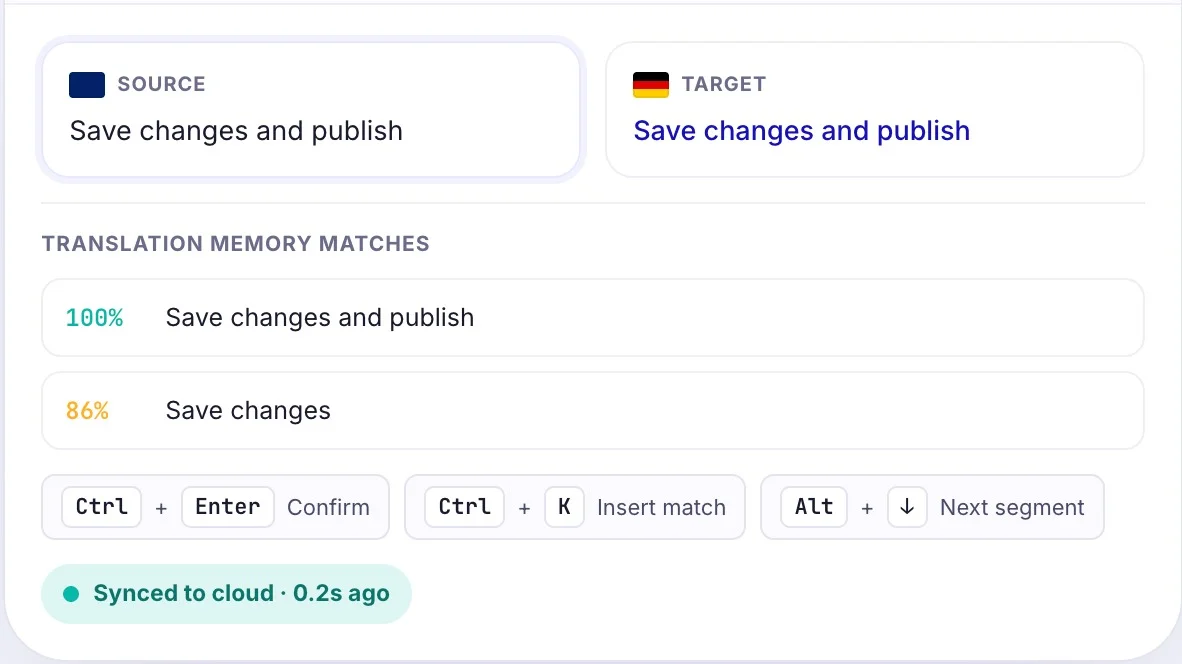
Confirm repeated segments in a keystroke and keep your hands on the keyboard from first segment to last.
Your memory and glossary travel with you across every client and project.
Start on your desktop, finish on your laptop. The cloud database keeps everything in sync.
Source and target segments aligned row by row, with inline context so you never translate blind.
Exact and fuzzy matches surface the moment you enter a segment, ranked by score and one click to insert.
Confirm, navigate, insert matches and run QA without leaving the keyboard. Fully remappable.
Every confirmed segment writes to your cloud database in real time, so your work is safe and available on any device.