
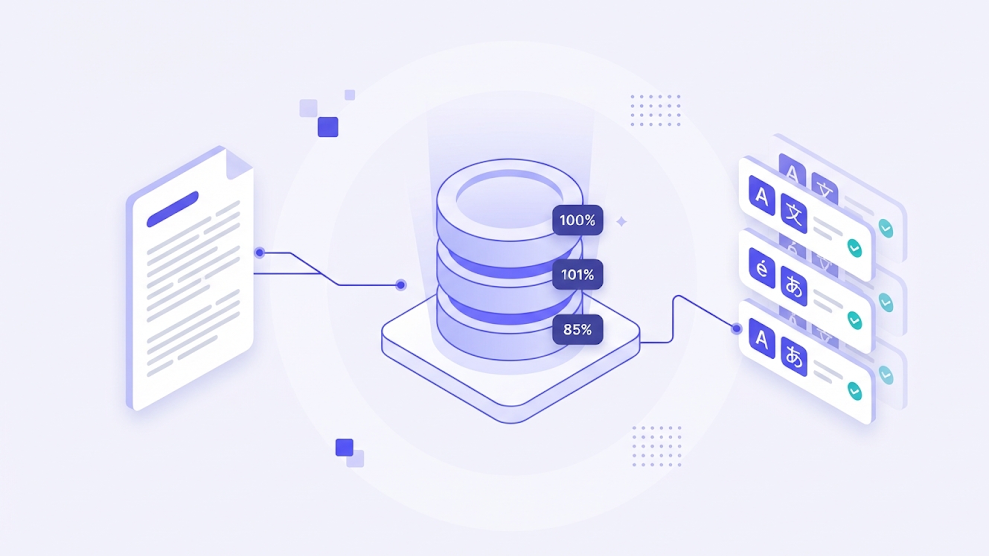
Every translator eventually translates the same sentence twice. Sometimes it is a product disclaimer, sometimes a contract clause, sometimes a button label that appears in forty screens. Translation memory software exists so that the second time costs almost nothing. It stores every sentence you confirm together with its translation, and offers it back the moment a similar sentence appears again.
For freelancers, that means faster delivery and more consistent work. For agencies and localization teams, it means lower costs, predictable quotes and a linguistic asset that grows in value with every project. This guide explains how translation memory works, how match types affect pricing, and what separates good translation memory software from the rest.
What Is Translation Memory Software?
A translation memory, often shortened to TM, is a database of aligned segments. Each entry holds a source sentence, its approved translation and metadata such as the client, the project, the date and the person who confirmed it. Translation memory software manages that database, searches it in real time while you work, and decides how closely a stored sentence matches the one in front of you.
It is important to separate memory from machine translation. A machine translation engine generates new text. A translation memory only returns text that a human has already approved. That is why memory matches are trusted far more than raw machine output, and why professional workflows treat the TM as the first and most reliable source of suggestions.
How Matching Works, Exact, Fuzzy and Context Matches
When a new file is analyzed, the software compares each segment with the memory and assigns a match percentage. Those percentages drive both productivity and pricing.
| Match type | What it means | Typical effort |
|---|---|---|
| Context match (101%) | Identical sentence with identical surrounding sentences | Quick confirmation only |
| Exact match (100%) | Identical sentence, different context | Light check for context fit |
| High fuzzy (85% to 99%) | Small differences such as a number or one word | Minor edit |
| Low fuzzy (75% to 84%) | Noticeable differences in wording | Partial rewrite |
| No match (below 75%) | New content | Full translation |
Many agencies apply a discount grid to these bands, paying a reduced rate for repetitions and high fuzzy matches. The exact rates are a commercial negotiation, but the principle is universal. The more content your memory covers, the less new translation each project requires.
Why Translation Memory Matters for Quality, Not Just Cost
Cost savings get the headlines, but consistency is the bigger win. A translation memory makes sure that the same sentence is rendered the same way across every document, every year and every translator on the team. In regulated content this is not cosmetic. A safety instruction, a warranty clause or a dosage statement that changes wording between versions creates confusion and, in some cases, liability.
Memory also preserves expertise. When a senior linguist resolves a difficult term, that decision is stored and reused, so the knowledge survives staff changes and reaches junior translators automatically.
Features That Separate Good Translation Memory Software
The best tools help you keep the memory clean and useful over time.
- Highlighted fuzzy differences, so you see exactly which words changed instead of rereading the whole sentence.
- Auto propagation that applies a confirmed translation to every identical segment in the file at once.
- Shared memories across projects and team members, synced in real time in the cloud.
- Penalties and metadata filters, so you can prefer matches from a specific client or recent date.
- Integrated terminology checks that warn you when a memory match conflicts with an approved term.
- Standard import and export, so your data stays portable.
Portability deserves special attention. The industry standard for exchanging memories is the Translation Memory eXchange (TMX) format, first released in 1997 and now maintained by GALA after the Localization Industry Standards Association closed in 2011. If a tool cannot export clean TMX, your memory is effectively locked inside it, and years of work could be lost if you switch platforms.
Common Translation Memory Mistakes to Avoid
A translation memory is only as good as what goes into it. These are the problems that quietly erode its value.
- Storing unrevised translations. If first drafts enter the memory before review, errors are reused across every future project.
- Mixing clients in one memory. Terminology that is correct for one brand can be wrong for another.
- Blindly accepting 100% matches. An identical sentence can need a different translation in a different context.
- Never cleaning the database. Outdated product names and legacy terminology should be updated or removed.
This is where professional judgment remains essential. Software can find a match, but only a qualified translator can decide whether that match is still correct in a new context.
Choosing the Right Translation Memory Tool
For most translators and small teams, the best choice is memory that lives inside the editor they already use, rather than a separate database to maintain. A cloud cat tool with built in memory gives you live lookups, automatic propagation and team sharing without extra setup. The translation memory tool in WordBeam, for example, surfaces exact and fuzzy matches as you type, highlights differences and syncs every confirmed segment to the cloud. You can read more about how it reduces repeat work on the translation memory software page.
Frequently Asked Questions
Is there free translation memory software?
Yes, several open source and free tools exist, but they often lack cloud sync, team sharing and integrated QA, which matter once you work with several clients.
Does translation memory work with machine translation?
Yes. Most workflows check memory first and fall back to machine translation only when no good match exists, with a human reviewing the result.
Who owns the translation memory?
Ownership depends on your contract. Freelancers should clarify it with each client and choose software that never uses their data to train public models.
Treat your translation memory as a business asset, keep it clean, and it will pay you back on every project you take on.