
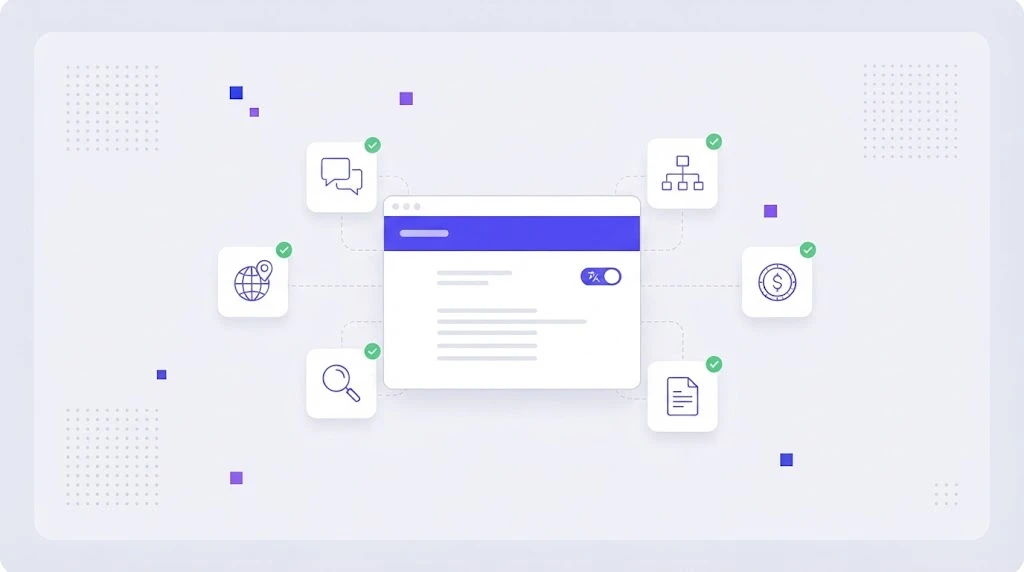
Adding a second language to a website sounds simple: install a plugin, click translate, done. Then the problems start. Pages rank in the wrong country, half the menu stays in English, prices show in dollars for German visitors and nobody knows which translations are out of date. A multilingual website that actually brings traffic and leads needs a plan for structure, content and maintenance from day one.
What Is a Multilingual Website?
A multilingual website serves the same brand and offer in two or more languages, with each version reachable at its own URL. The best multilingual sites go a step further and practice content localization, adapting examples, currencies, legal text and calls to action for each market instead of mirroring the English page word for word.
That difference matters. Translation makes a page readable. Website localization makes it convincing, and convincing pages are the ones that rank, convert and generate sales conversations.
Multilingual vs Multiregional: Know Which One You Need
A multilingual site targets languages (English, Spanish, Japanese). A multiregional site targets countries (the US, the UK, Australia), sometimes in the same language. Many companies need both: Spanish for Spain and Spanish for Mexico, with different prices and shipping rules. Decide this early, because it shapes your URL structure and your hreflang setup.
Choose the Right URL Structure
Google's own guidance on multi-regional and multilingual sites lists three main options. Each one works, but they have different costs:
- Subdirectories (example.com/de/): easiest to manage, inherits the authority of the main domain. The best default for most SaaS and B2B sites.
- Subdomains (de.example.com): useful when teams or servers are separate, but authority is split more than with folders.
- Country domains (example.de): strongest local signal and trust, but each domain must earn its own links and costs more to maintain.
Avoid automatic redirects based on IP or browser language. Search engine crawlers mostly come from the US and may never see your other versions. Offer a visible language switcher instead and remember the visitor's choice.
Set Up hreflang Correctly
Hreflang tags tell search engines which page is the equivalent in another language, so a French searcher gets the French page and duplicates are not treated as competing copies. Every page must reference all its alternates and itself, and every alternate must link back. Missing return links are the most common reason hreflang is ignored. Our localization SEO guide walks through hreflang, x-default and local keyword research in detail.
What to Localize on a Multilingual Website
Navigation, forms and microcopy
Menus, buttons, error messages, cookie banners and form labels are short but visible on every page. Leaving them in English breaks trust immediately. Manage them as UI translations with context and character limits.
Landing pages and product copy
Your highest converting pages deserve human review. Headlines, benefits and calls to action often need rewriting, not translating, so they sound natural and match how people search locally.
Blog and resources
Not every article needs every language. Translate the posts that already bring traffic and leads in English, then target local keywords for the rest.
Metadata, images and structured data
Title tags, meta descriptions, image alt text, URL slugs and schema markup are part of the page too. Screenshots with English UI and images with embedded text should be replaced or re-exported per language.
Prices, formats and legal pages
Currency, VAT display, date and number formats, phone numbers, privacy policy and terms must follow local rules. These details decide whether a visitor fills in the form.
A Website Localization Workflow That Scales
- Connect your CMS so new and changed pages are detected automatically. Our article on CMS translation workflows shows common setups.
- Build a glossary and style guide with product names, approved terms and tone per language in a term base.
- Pre-translate with translation memory and an AI translation engine to cut cost and turnaround.
- Edit and review by native speakers, with priority on pages that convert.
- Run QA for broken tags, links, numbers and terminology.
- Publish and monitor rankings, traffic and conversions per language, then update what underperforms.
Machine Translation Plugins vs a Translation Management System
Plugins that translate pages on the fly are fast to install, but you lose control: no glossary, no review, no memory of approved wording and limited SEO control. A translation management system keeps all content in one place, reuses every approved sentence, lets reviewers work in context and pushes updates back to the site automatically. For a site with more than a handful of pages or more than two languages, the TMS pays for itself in saved hours alone.
Common Multilingual Website Mistakes
- Auto-redirecting visitors by IP address.
- Using flags for languages (Spanish is not only Spain).
- Translating the page but not the meta title, slug and alt text.
- Letting translations go stale after the English page changes.
- Mixing languages on one URL or loading translations only with JavaScript.
- Forgetting forms, confirmation emails and thank-you pages.
How WordBeam Helps You Run a Multilingual Website
WordBeam brings website copy, UI strings, documents and blog posts into one workspace. It imports HTML, JSON, XLIFF and CMS exports, keeps tags and links intact, and gives linguists an online CAT tool with memory, glossary and AI proofreading and QA checks. Workflow automation routes each page from translation to review to publishing, so new content goes live in every language at the same time instead of weeks later.
See WordBeam plans or start with WordBeam for free.
Frequently Asked Questions
Is a multilingual website good for SEO?
Yes, when each language has its own crawlable URL, correct hreflang and localized metadata. Each version can rank for local keywords that your English pages never reach.
How many languages should my website have?
Start with the two or three markets where you already see traffic, sign-ups or sales from non English speakers. Add more once your workflow for those languages runs smoothly.
Can I use machine translation for my website?
Machine translation is a strong first draft for most content. Pages that sell, such as the homepage, pricing and landing pages, should always be reviewed by a native speaker before publishing.