
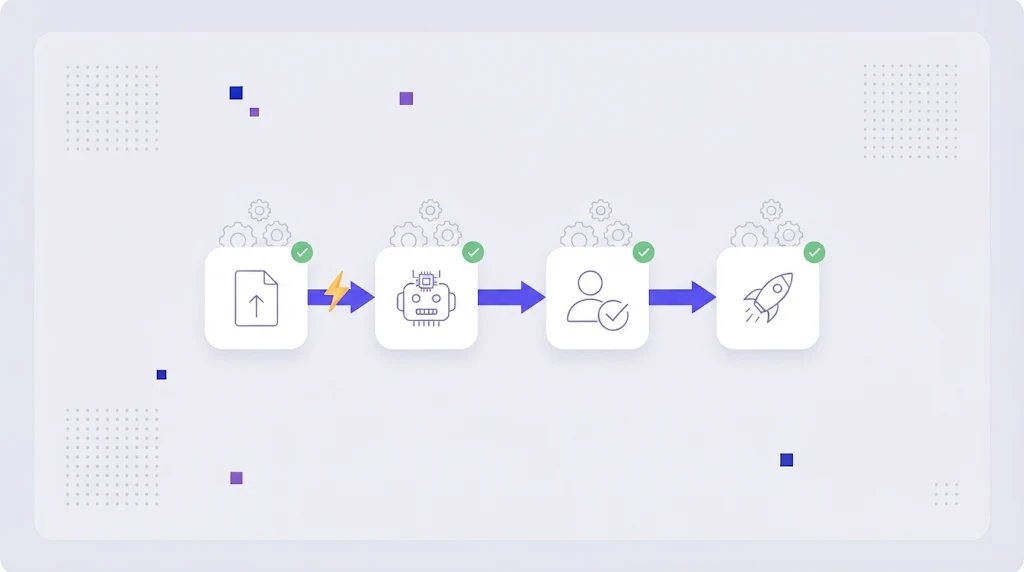
Ask a localization manager where their week goes and the answer is rarely "translation". It is exporting files, renaming them, emailing vendors, chasing deadlines, copying strings back into the repository and checking that nothing broke. Translation automation is about removing that overhead so people spend their time on the work that actually needs a human: getting the meaning, tone and terminology right.
What Is Translation Automation?
Translation automation is the use of software to handle the repetitive, rule based steps of a translation and localization workflow without manual intervention. It covers moving content in and out of your systems, applying translation memory and machine translation, assigning tasks, running quality checks and delivering finished files.
It is not the same as "let AI translate everything". Automation is the plumbing around the translation. Machine translation is one step in that plumbing, and a good automated workflow decides when its output is good enough and when a person should review it.
Which Steps Can Be Automated?
1. Content intake
Instead of exporting files by hand, connect your repository, CMS or file storage. New or changed content is detected and sent for translation automatically, with only the changed segments counted.
2. File parsing and segmentation
The platform splits JSON, XLIFF, DOCX, HTML or PO files into translatable segments and protects code, tags and placeholders. AI auto tag placement puts formatting back in the right place in the translation.
3. Pre-translation
Exact and fuzzy matches from translation memory are inserted first, then remaining segments are drafted by an AI translation engine using your glossary.
4. Task routing
Jobs are assigned to the right translator or reviewer by language pair, content type or deadline, and notifications go out without a project manager sending emails.
5. Quality assurance
Automated QA checks catch missing placeholders, number mismatches, terminology errors, double spaces and length overruns on every segment, every time.
6. Delivery
Approved translations are pushed back to the repository as a pull request, published to the CMS or exported to storage, in the original file format.
7. Reporting
Word counts, memory leverage, costs and turnaround times are calculated automatically per project and language.
What Should Stay Human?
- Review of customer facing copy: marketing pages, pricing, onboarding and legal text.
- Brand voice and creative adaptation, where transcreation beats translation.
- Terminology decisions, approving new terms and updating the glossary.
- Final in-context checks of the product or page in each language.
- Exceptions: anything a QA rule flags that the system cannot resolve.
Our article on AI vs human translation goes deeper into finding the right balance, and the machine translation post-editing guide explains how reviewers work efficiently with AI drafts.
Build an Automated Translation Workflow in 6 Steps
- Map your current process. Write down every step, who does it and how long it takes. The manual handoffs are your automation targets.
- Centralize content in one translation management system instead of folders and spreadsheets.
- Connect sources and destinations: repository, CMS, design files and storage.
- Set up memory and glossary first, so every automated step benefits from approved language.
- Define rules: which content gets MT only, MT plus review, or full human translation; who reviews which language; what QA errors block delivery.
- Measure and adjust turnaround, cost per word and error rates, then tighten the rules.
Benefits of Translation Automation
Teams that automate typically see faster turnaround (days become hours for small updates), lower cost through higher memory reuse and fewer manual hours, more consistent terminology, and far fewer release day surprises. Developers stop touching translation files, and project managers manage exceptions rather than every file. For software teams, automation is what makes continuous localization possible at all.
Common Automation Pitfalls
- Automating a broken process instead of simplifying it first.
- Sending MT straight to production for content that needs review.
- No glossary, so automated drafts are consistently wrong.
- Too many notifications, so people ignore them.
- Rules that nobody owns or updates.
Automate Your Translation Workflow With WordBeam
WordBeam's workflow automation connects every step: file intake, pre-translation with memory and AI engines, assignment to translators and reviewers in the online CAT editor, automated QA and delivery back to your systems. You decide where humans step in, WordBeam handles the rest. See plans and start free.
Frequently Asked Questions
Is translation automation the same as machine translation?
No. Machine translation is one automated step. Translation automation covers the whole workflow, including file handling, routing, QA and delivery, with or without machine translation.
Will translation automation replace translators?
It replaces manual admin work, not translators. Linguists spend less time on file handling and repetition and more time on review, terminology and quality.
How long does it take to set up an automated workflow?
With a modern TMS, a basic automated workflow with memory, MT and QA can run within a day. Integrations and custom rules can then be added step by step.