
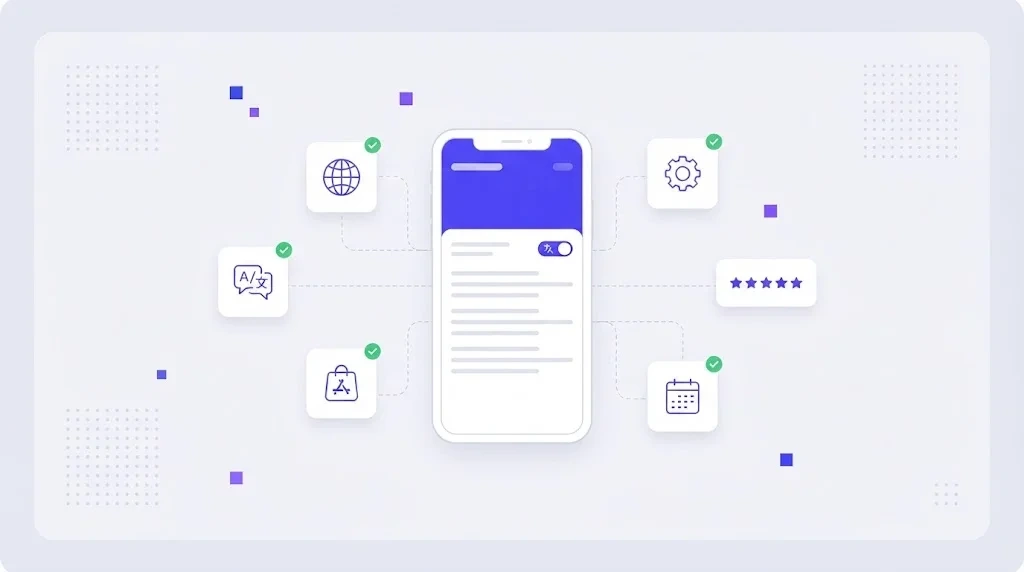
Most apps reach a point where growth at home slows down and the next million users live somewhere else. The fastest way to reach them is not a new feature, it is the app you already have, speaking their language. App localization turns a product built for one market into one that feels native in many, and done well it is one of the highest return investments a product team can make.
What Is App Localization?
App localization is the process of adapting a mobile, desktop or web application for users in another language and region. It covers the interface text, but also dates, numbers, currencies, images, legal copy, push notifications, onboarding flows and the app store listing that convinces people to install in the first place.
It sits inside the wider discipline of software localization, and it depends on good internationalization (i18n) work in the code. If you want the background on that split, our guide to i18n and l10n explains where engineering ends and translation begins.
Why App Localization Pays Off
Users trust and pay for apps in their own language. Store algorithms also reward local relevance: a listing with a translated title, subtitle and keywords ranks for searches that an English only listing never appears in. Google documents this directly in its Play Console translation and localization guidance, and Apple supports localized metadata for every storefront in App Store Connect.
The result is usually a lift in three numbers at once: impressions in the store, conversion from page view to install, and retention after the first session, because onboarding finally makes sense to the user.
Prepare Your App Before You Translate
Externalize every string
No user facing text should live in the code. Move it into resource files such as strings.xml on Android, String Catalogs on iOS or JSON files for React and Flutter. Each string gets a stable key, so translations can change without touching logic.
Handle plurals, variables and gender
"1 file" and "5 files" follow different rules in Polish, Arabic or Russian. Use your framework's plural support (ICU MessageFormat, plurals resources, stringsdict) instead of concatenating words, and always use named placeholders so translators can move them inside the sentence.
Leave room for text expansion
German and French often run 20 to 35 percent longer than English. Buttons with fixed widths and truncated labels are the most common bug in localized apps. Design flexible layouts and plan for right to left languages such as Arabic and Hebrew from the start.
Give translators context
A key called "open" can mean a verb or an adjective. Add short descriptions, character limits and screenshots to each string. Context is the single biggest factor in translation quality for UI text.
The App Localization Workflow, Step by Step
- Pick target markets with data. Look at store impressions, organic sign-ups and support tickets by country before choosing languages.
- Extract strings automatically. Connect your repository so new keys flow into the translation tool on every merge, instead of emailing files.
- Pre-translate with memory and AI. Reuse approved translations from translation memory and fill new strings with machine translation as a first draft.
- Review by native linguists. Humans edit the draft, follow the glossary and check tone against the brand.
- Run automated QA. Check placeholders, tags, length limits and terminology before anything reaches a build.
- Test in context. Install localized builds, take screenshots and fix truncation, layout and meaning issues.
- Localize the store listing. Title, subtitle, description, keywords, screenshots and preview video for each market.
- Measure and iterate. Compare install conversion and retention per language and update copy that underperforms.
App Store Localization: The Part Teams Forget
A perfectly translated app with an English store page will not be found. Treat each listing as a small SEO project: research the keywords people actually type in that market, adapt screenshots so the captions are readable, and localize the "What's new" text with each release. Keyword research for stores works the same way as on the web, which we cover in our localization SEO guide.
Common App Localization Mistakes
- Hard coded strings discovered a week before launch.
- Concatenated sentences that cannot be translated correctly.
- Sending translators a spreadsheet with no context or screenshots.
- Localizing the app but not push notifications, emails or the help center.
- Treating localization as a one time project instead of part of every release.
- Skipping localization testing on real devices.
Keep Every Release in Sync
Apps ship every week or two. If translation takes a month, new features launch half in English. The answer is continuous localization: new strings are picked up automatically, translated in parallel with development and pulled back into the build before release. Teams that set this up usually stop thinking about localization as a separate project at all.
How WordBeam Helps With App Localization
WordBeam is a translation management system built for product teams. It imports strings.xml, String Catalogs, JSON, YAML, PO and XLIFF files, keeps keys and placeholders safe, and gives translators screenshots and descriptions in the online CAT editor. Translation memory, glossaries and automated QA checks catch problems before they reach the build, and workflow automation moves every string from extraction to review to delivery without manual handoffs. For interface copy specifically, see how WordBeam handles UI translations.
You can start a free trial and localize your first app project in an afternoon.
Frequently Asked Questions
How much does app localization cost?
Cost depends on word count, number of languages and the mix of human and machine translation. A typical mobile app has 3,000 to 15,000 words. Translation memory and AI drafts can cut the cost of every update after the first release by half or more.
Which languages should I localize my app into first?
Start where you already see demand: store impressions, organic installs and revenue by country. Spanish, German, French, Portuguese (Brazil) and Japanese are common first choices for apps that start in English.
What is the difference between app translation and app localization?
App translation converts the text. App localization adapts the whole experience, including formats, images, payments, legal content and the store listing, so the app feels built for that market.