
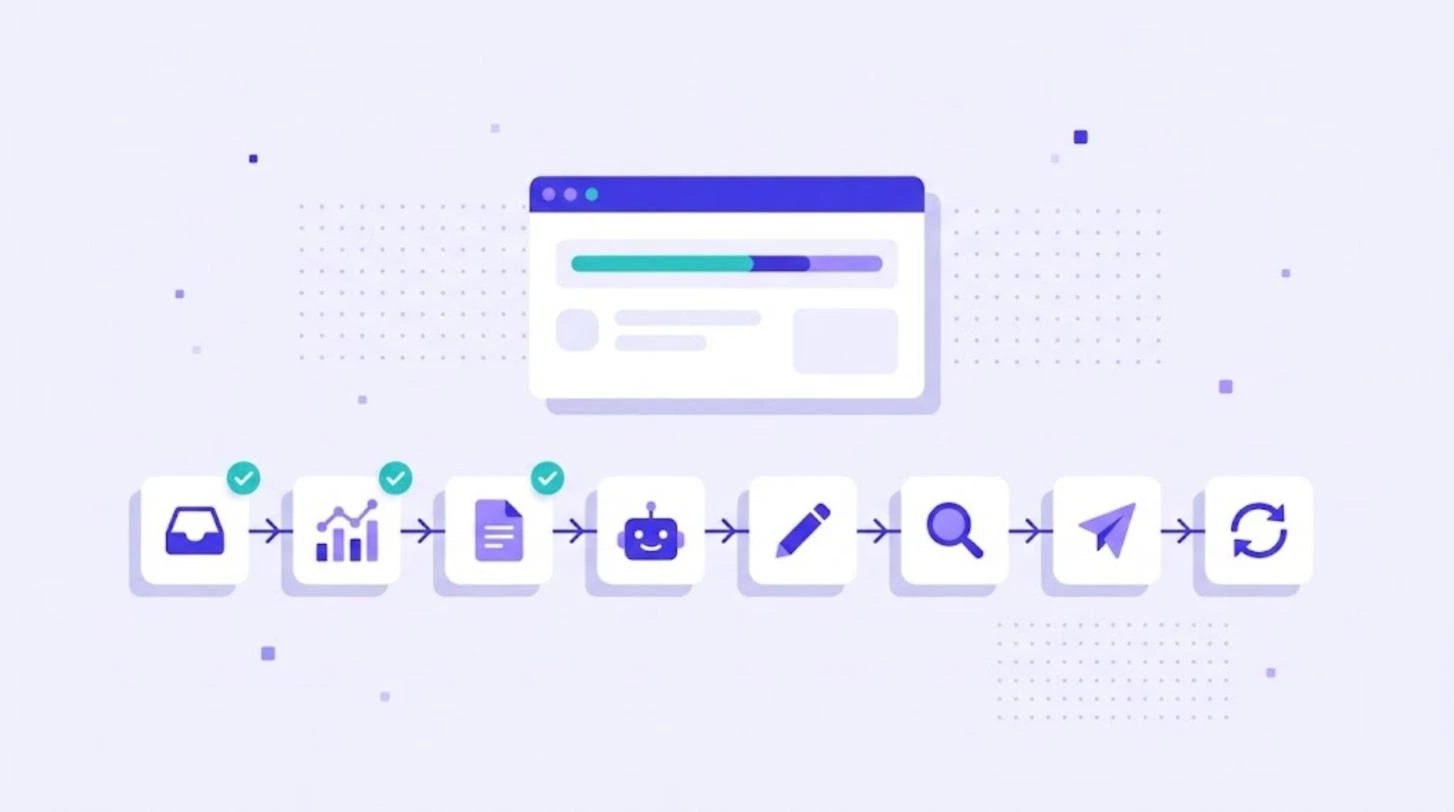
A localization workflow is the repeatable sequence of steps that moves content from the source language to published translations: content intake, preparation, translation, review, quality assurance, delivery and maintenance. A clear workflow decides who does what, which tools are used and how updates are handled, so localization keeps pace with product and marketing releases. This guide shows a proven workflow, how to adapt it to different content types and where automation saves the most time.
The 8 Steps of a Localization Workflow
- Intake. New or changed content enters the workflow from a CMS, code repository, design tool or file upload.
- Analysis. Files are analyzed against translation memory to count new words, fuzzy matches and repetitions.
- Preparation. Context, screenshots, glossary and style guide are attached; deadlines and linguists are assigned.
- Pre-translation. Translation memory matches are applied, and new segments are pre-translated with the best AI engine for the language pair.
- Translation and post-editing. Linguists translate or edit the AI output in a CAT editor.
- Review and QA. A second linguist revises important content, and automated QA checks tags, numbers and terminology.
- Delivery. Translated files go back to the CMS, repository or design tool.
- Maintenance. Corrections update translation memory and glossary, and changed source text starts the cycle again.
The translation, revision and review steps follow the process described in ISO 17100, the international standard for translation services.
Adapting the Workflow to Content Types
| Content | Typical workflow | Review level |
|---|---|---|
| UI strings | Continuous sync from the repository, AI pre-translation, in-context review | Medium, with screenshots |
| Marketing and website | Translation or transcreation, SEO keyword check, native review | High |
| Help center and documentation | Translation memory plus AI, light post-editing | Light to medium |
| Legal and regulated content | Human translation, full revision, sometimes back translation | Very high |
Roles in the Workflow
- Requester: product manager, marketer or developer who creates source content.
- Localization or project manager: plans, assigns and tracks work. See our guide to localization management.
- Translators and reviewers: produce and check translations.
- Engineers: connect repositories and handle file formats.
Where Automation Helps Most
- Pulling new strings from Git repositories and pushing translations back.
- Creating projects and assigning linguists automatically.
- Pre-translation with translation memory and AI engines.
- Automated QA before delivery.
- Notifications when work is ready for the next step.
For a deeper look, read translation automation and continuous localization.
Signs Your Localization Workflow Needs Work
- Files are sent by email and tracked in spreadsheets.
- Releases wait for translations, or ship with untranslated text.
- The same sentence is translated and paid for more than once.
- Terminology differs between the app, website and help center.
- Nobody knows the real cost or turnaround per language.
Build Your Localization Workflow in WordBeam
WordBeam brings every step into one translation management system: file analysis, translation memory, term bases, AI engines including DeepL, GPT, Claude and Grok, a professional CAT editor and QA checks. Workflow automation, GitHub, GitLab and Figma integrations, branching and LQA scorecards on the Studio plan help teams scale without extra manual work. Compare plans on WordBeam pricing and start a free 14-day trial with 10,000 words.
Frequently Asked Questions
What is a localization workflow?
It is the defined sequence of steps, roles and tools used to translate and adapt content for new markets, from intake to delivery and updates.
What is the difference between a translation workflow and a localization workflow?
A translation workflow covers the language work. A localization workflow also includes preparation, cultural adaptation, testing, delivery to systems and ongoing maintenance.
Can a localization workflow be fully automated?
The file handling, pre-translation and QA steps can be automated. Human review is still needed for customer-facing and high-risk content.