
For a SaaS company, international customers are often already there before anyone plans for them. They sign up from Brazil, Germany or Japan, struggle through an English interface and churn quietly after the trial. SaaS localization turns that accidental traffic into revenue. It is also one of the few growth levers that improves acquisition, conversion and retention at the same time.
What Is SaaS Localization?
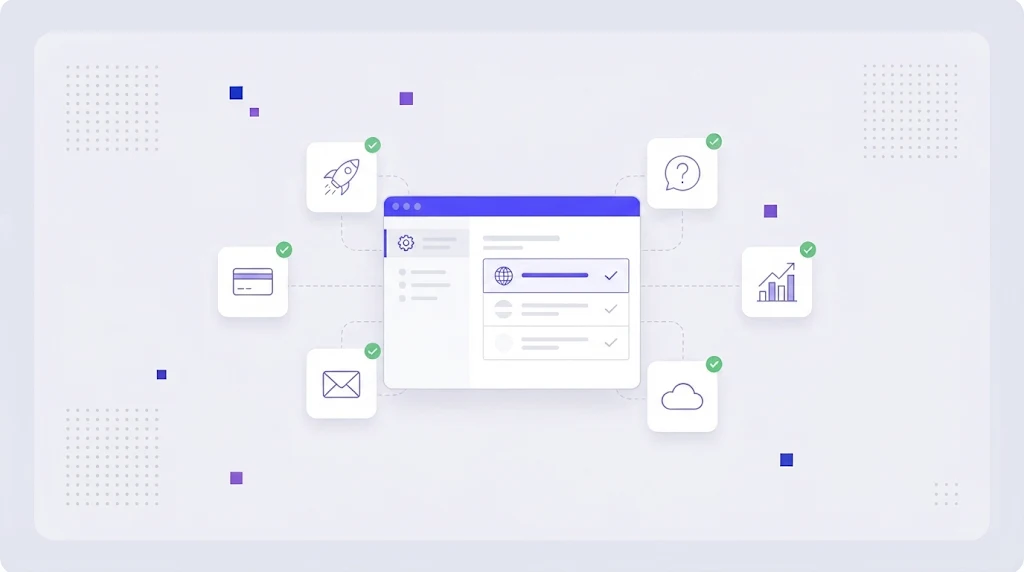
SaaS localization is the process of adapting a software as a service product, and everything around it, for customers in other languages and regions. It includes the application interface, but also the marketing site, pricing and billing, onboarding emails, in-app messages, documentation, support and legal terms.
It builds on general software localization practices, with one big difference: SaaS ships constantly. A desktop product might release twice a year. A SaaS team may deploy several times a day, so localization has to be continuous rather than a project with a start and end date.
Why SaaS Companies Localize
- Higher trial to paid conversion. Users who understand the product reach the "aha" moment faster.
- Lower churn. Localized onboarding and help content reduce support tickets and frustration.
- New organic traffic. Localized landing pages rank for keywords competitors ignore in smaller languages.
- Enterprise deals. Many large buyers require the product and contracts in the local language.
- Competitive edge. In many categories, local language support is still a differentiator.
What to Localize First: A Priority Order
You do not need to translate everything at once. Most SaaS teams get the best return by following the customer journey:
- Marketing site and pricing page. The first impression and the page that decides the sign-up.
- Sign-up, onboarding and core workflows. The screens every new user touches in the first session.
- Transactional emails and in-app messages. Welcome, verification, password reset, trial ending, invoices.
- Help center articles for the top 20 percent of questions that generate 80 percent of tickets.
- The rest of the UI, settings, admin areas and edge cases.
- Legal documents, terms, privacy policy and DPA, reviewed by local counsel.
Pricing, Payments and Billing
Localization does not stop at words. Show prices in local currency, consider purchasing power when setting regional prices, display taxes the way local buyers expect and offer familiar payment methods: SEPA in Europe, Pix in Brazil, iDEAL in the Netherlands, invoices for many B2B buyers. Even a well translated pricing page loses deals if the checkout only takes US credit cards.
Engineering for SaaS Localization
Internationalize the codebase
Externalize strings, use ICU message syntax for plurals and variables, and format dates, numbers and currency with locale aware libraries. Our guide on internationalization vs localization covers the basics, and the React i18n tutorial shows a practical setup for front end teams.
Store translations in standard formats
JSON, YAML, PO or XLIFF files in the repository keep translations versioned with the code. Avoid storing UI text in a database where translators cannot reach it. If you work with JSON, see how to translate a JSON file without breaking your keys.
Automate the sync
Connect your repository to a translation platform so new keys are pushed for translation on every merge and finished translations come back as a pull request. This is the core of continuous localization.
A Continuous SaaS Localization Workflow
A workflow that keeps up with weekly releases usually looks like this: developers add keys with descriptions; the platform detects them; translation memory fills repeats and an AI engine drafts the rest; linguists review in an online CAT editor with screenshots; automated QA checks placeholders and lengths; and approved strings merge back before the release branch is cut. Features ship in every language on the same day.
Do Not Forget SEO and Content
Your localized product needs localized discovery. Translate and adapt landing pages, comparison pages and top blog posts, research local keywords, and set up hreflang. The localization SEO guide explains how to rank translated pages, and building a localization strategy helps decide which markets to enter first.
Measuring SaaS Localization ROI
Track sign-ups, trial to paid conversion, activation rate, churn and support tickets per language before and after localization. Compare revenue per market against translation spend. Most teams find that the first two or three languages pay back within months, and that translation memory makes each later release cheaper than the last.
Common SaaS Localization Mistakes
- Translating the app but leaving emails and notifications in English.
- Hard coding currency symbols and date formats.
- Releasing features in English first and "catching up" translations weeks later.
- No glossary, so the same feature has three different names.
- Localizing everything for markets with no proven demand.
How WordBeam Helps SaaS Teams
WordBeam is a translation management system designed for fast moving product teams. It supports JSON, YAML, PO, XLIFF and mobile formats, connects to your workflow through workflow automation, and gives translators context for every UI string. Glossaries, memory, AI engines and QA live in one place, so your product, site and help center speak the same language. Compare WordBeam plans and start free.
Frequently Asked Questions
How many languages should a SaaS product support?
Start with the two or three languages where you already see sign-ups and revenue. Expand once your continuous workflow runs smoothly and the first markets show a clear return.
Should SaaS companies use machine translation?
Yes, as a first draft. AI and machine translation dramatically speed up UI and help center localization, but customer facing copy should be reviewed by native speakers, especially pricing, onboarding and marketing pages.
What is the difference between SaaS localization and software localization?
SaaS localization is a type of software localization adapted to cloud products: continuous releases, subscription billing, web based onboarding and marketing funnels that all need to be localized together.